Banking / Card
Management





Product Overview
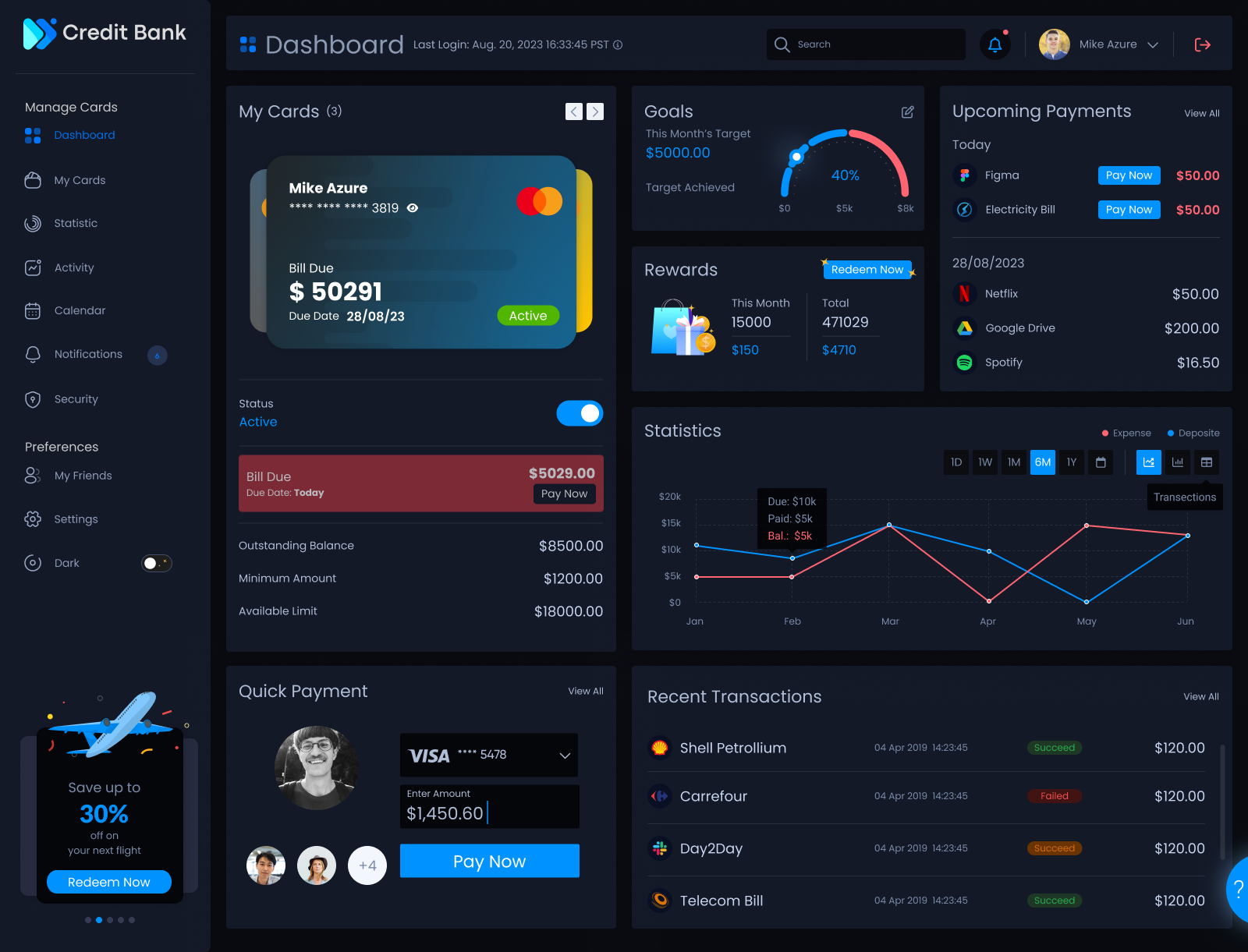
Card management is often a source of user anxiety, so I focused on building a high-trust interface that makes complex financial data feel approachable and clear. By balancing robust security with an intuitive, human-centered flow, I transformed a technical dashboard into a seamless daily tool. The result was a product that didn't just look "clean" — it actually helped people feel in control of their money, leading to a 35–50% increase in card activation. This project proves that when you design with empathy for the user's needs, the business goals like reduced support tickets and higher engagement naturally follow.
Problem Statement
Users are encountering difficulties within the existing credit card web application, leading to frustration when attempting tasks such as money transfers, bill payments, contacting support, and initiating card blocks. These challenges are impeding the smooth execution of crucial financial actions, resulting in user dissatisfaction and an overall negative user experience.
My Process
Every phase of the project was accelerated using purpose-specific AI tools from research synthesis to interface design and real-time collaboration.
How AI plugged into the process





Discovery

Define

Design
Deliver

Strategy & Research
When I was stuck mapping out complex banking regulations and card-issuer constraints, Claude helped me synthesize thousands of pages of fintech documentation into actionable UX requirements in hours instead of days.

Design & Prototyping
Leveraged AI-assisted auto-layout and component naming to explore 4x more variants for the transaction history dashboard, allowing me to prioritize data readability without rebuilding architectures from scratch.

Content & Strategy
I used AI to stress-test 'Edge Case' user journeys, such as disputed international transactions or emergency card freezes, ensuring the system remained intuitive even during high-stress financial moments.

AI Co-Pilot
Bridging the gap between design and production by using AI-native coding tools to ensure that high-fidelity prototypes were technically feasible and ready for bank-grade deployment.
AI didn't design this product; it provided the data and the speed for me to make better human decisions. By automating the mechanical parts of design, I was able to spend more time on the empathy — ensuring that every card swipe and transaction feels like a moment of empowerment for the user.
Objective/Goals
Delivering a seamless solution to enable users to effortlessly utilize desired features.
Improve the user flow and integrate essential features vital to the credit card banking web application.
Enable rapid and protected entry to account details and transaction records.
Simplify Card Management System.
Streamline Transactions
Challenges
Security & Data Privacy: Protect user's sensitive financial information.
User Trust: Gaining and maintaining user trust is crucial.
Usability and User Experience: Introducing new features and updating flows for the better.
Customer Support: The enhancement of customer support and adding help bots.
Adoption: Adoption of new design, flows and features.
Quantitative Research
Online survey with around 15 organic users who fall in our targeted audience.
User Research
User research involves engaging with a group of 15 participants, where a questionnaire is distributed containing a predefined set of questions to be completed by the participants.
Features & Functionalities
Adding new features and functionalities to the credit card web app enhances its capabilities, improving user experience and expanding its utility in the competitive market.
Competitor Analysis
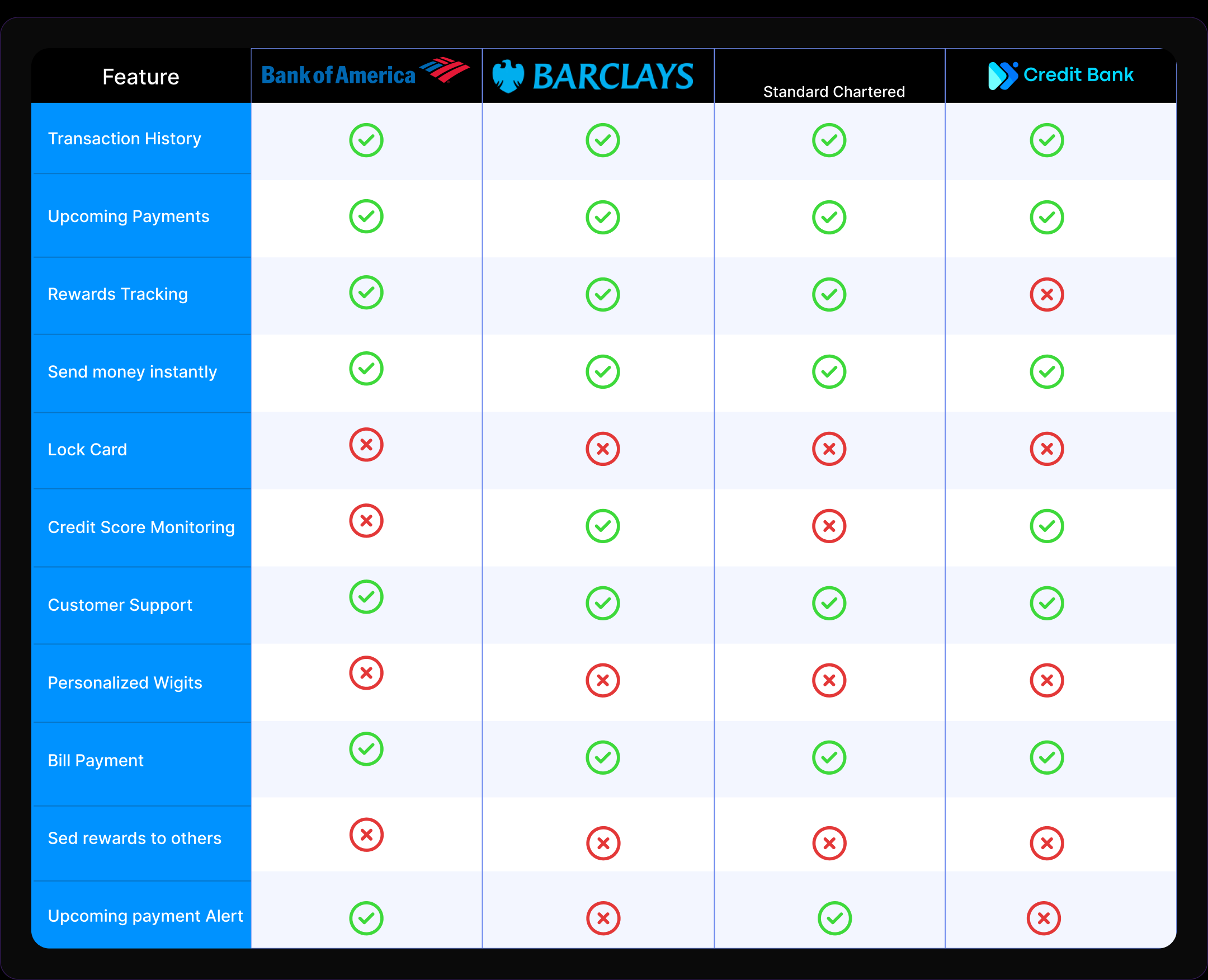
Competitive analysis was conducted between world's top bank brands to gain insights into the strategies, strengths, weaknesses, and market positioning of competing businesses.
User Personas
User personas are crafted for the credit card banking web app to grasp diverse user profiles, needs, and behaviors. This aids in tailoring the app's features and interface, resulting in a more personalized and user-friendly banking experience.

Goals: Monitor and categorize credit card expenses for better budgeting. Track and redeem rewards for family-related expenses. Avoid overspending and ensure timely payments.
Challenges: Juggling household expenses and family needs. Unable to lock/freeze and unfreeze card. Wants personalized insights to make informed financial decisions.

Goals: Efficiently manage credit card transactions and payments. Stay updated on rewards and cashback opportunities. Maintain a good credit score and financial discipline.
Challenges: Limited time due to a demanding job. Occasional difficulty tracking expenses and due dates. Wants a mature flow for connecting with support from the web app.
User Journey
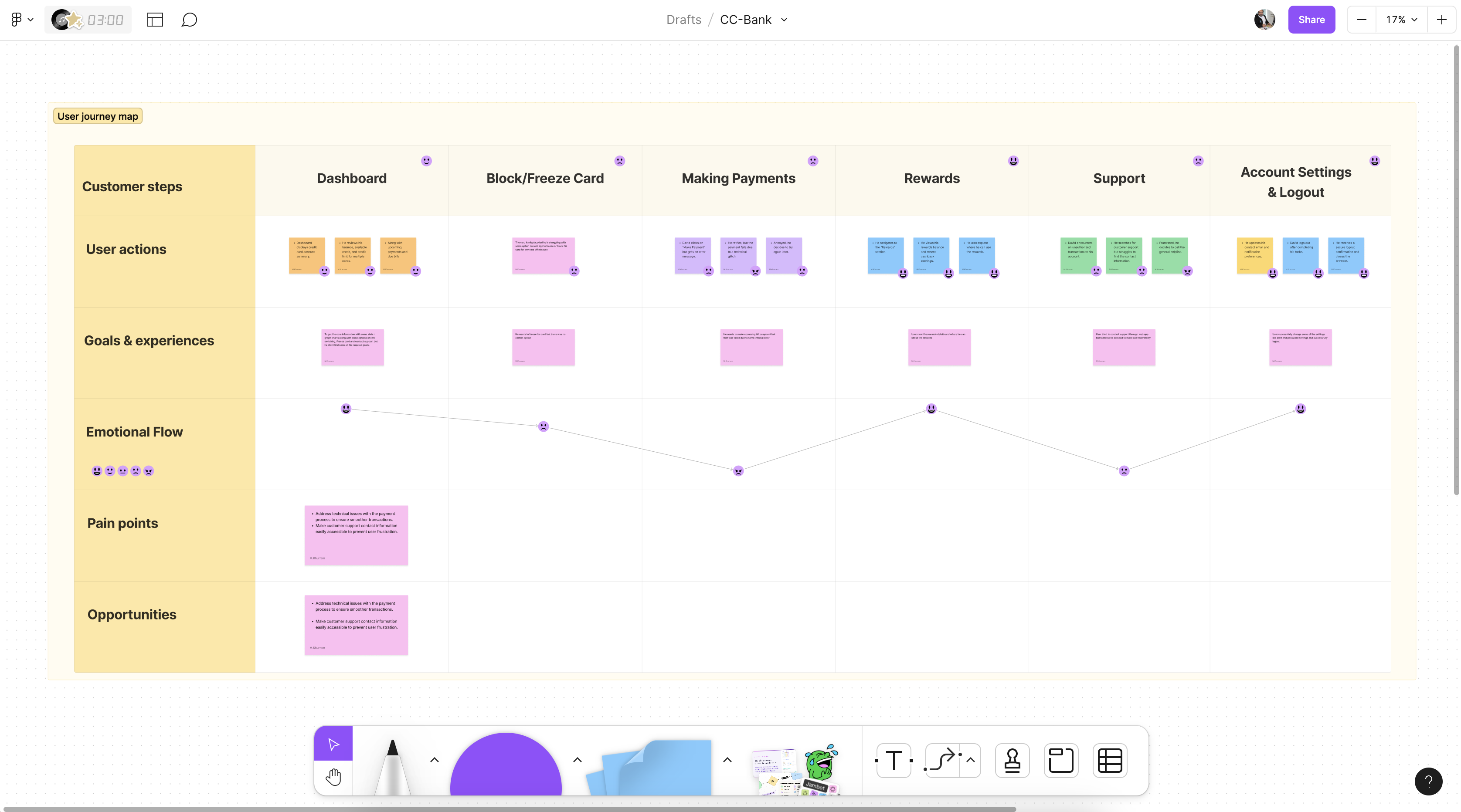
After analysing the personas the user journey maps are devised for the credit card banking web app to outline the end-to-end user experience, identifying touchpoints, pain points, and opportunities for enhancement. This facilitates the optimization of the app's flow and functionality, ultimately leading to a smoother and more satisfying user journey.

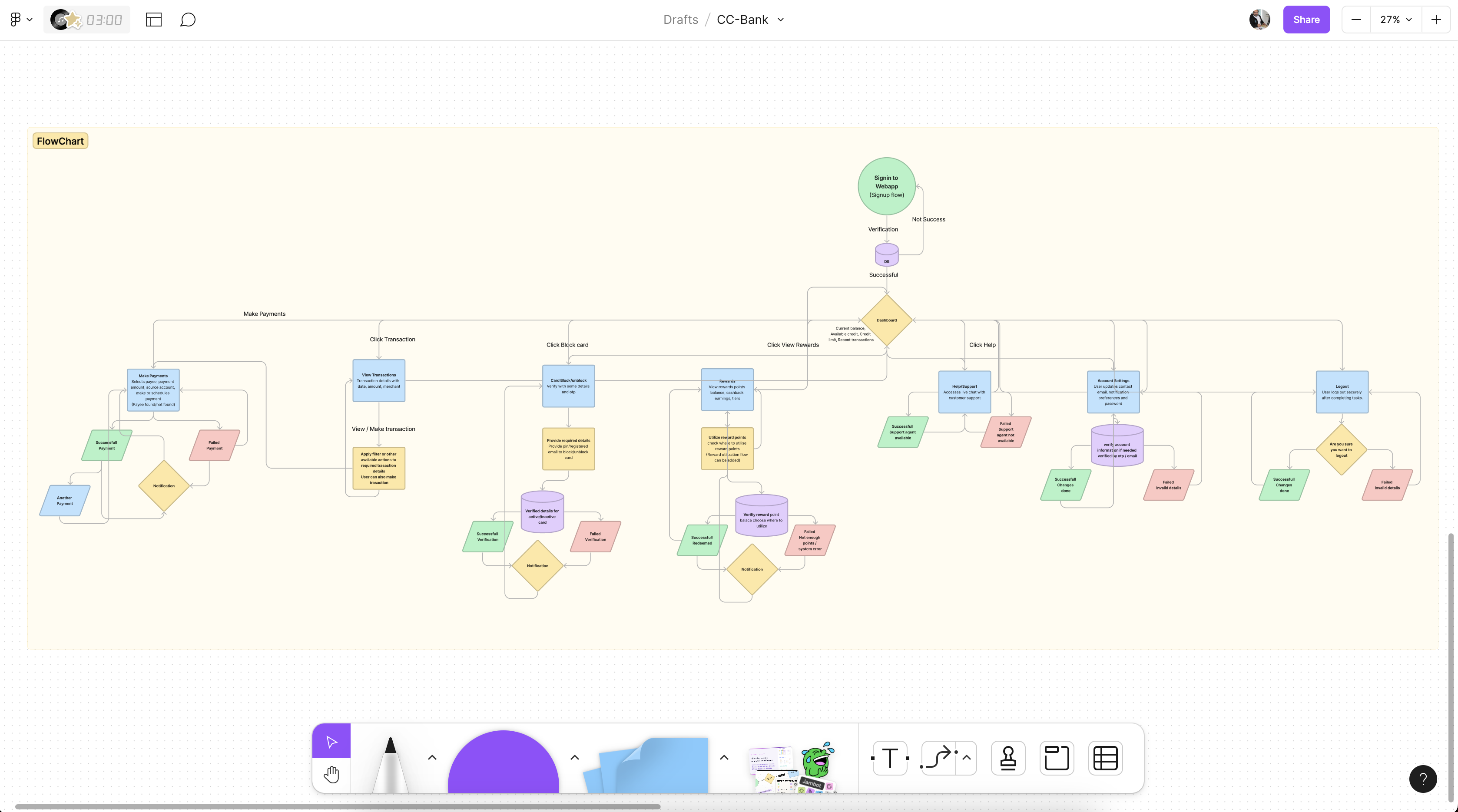
User Flow
User flows are established for the credit card banking web app to visually map the step-by-step navigation and interactions users undertake to accomplish tasks. This streamlines the user experience design, ensuring intuitive and efficient usage of the app's features and services.
Core Features
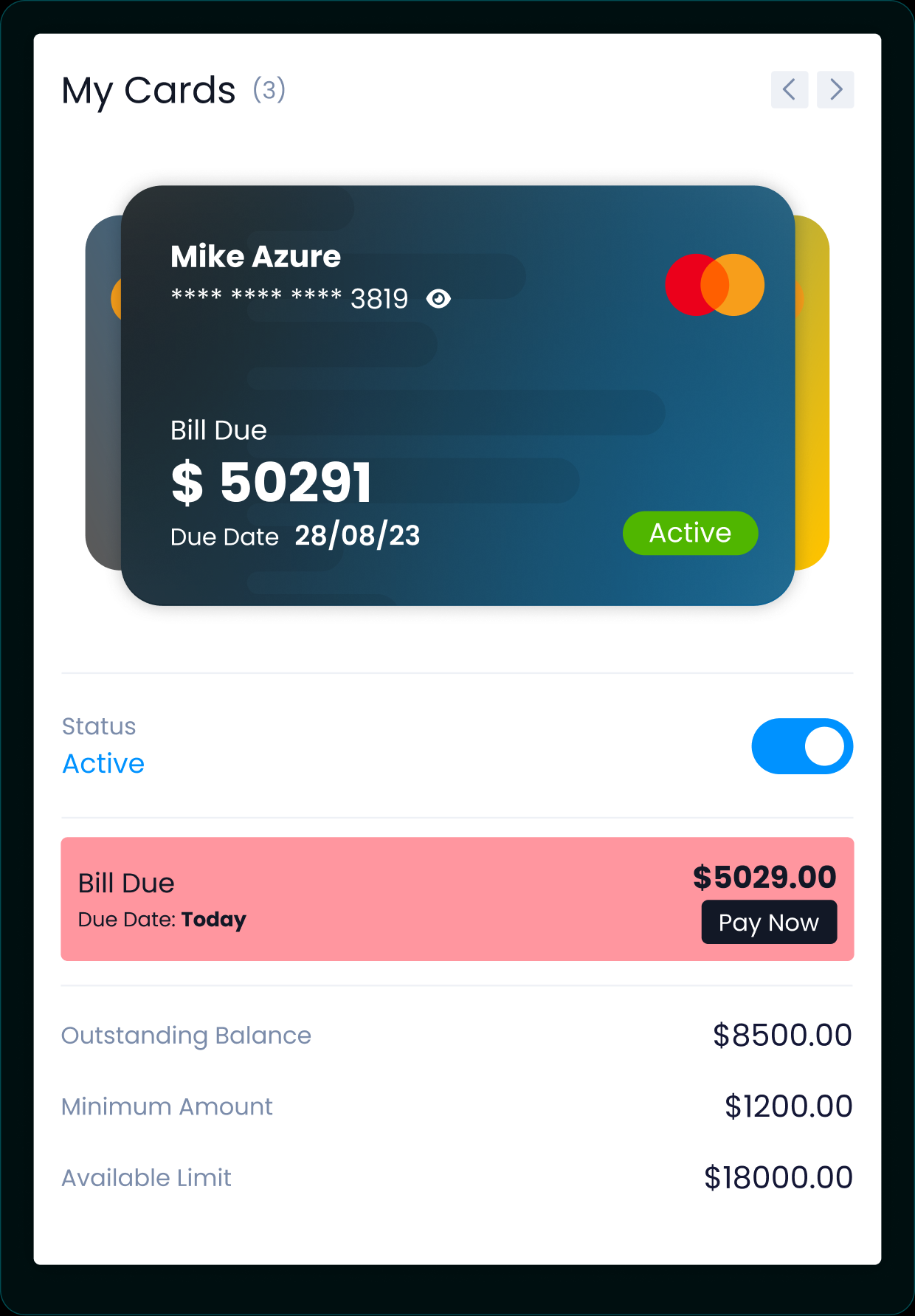
My Card
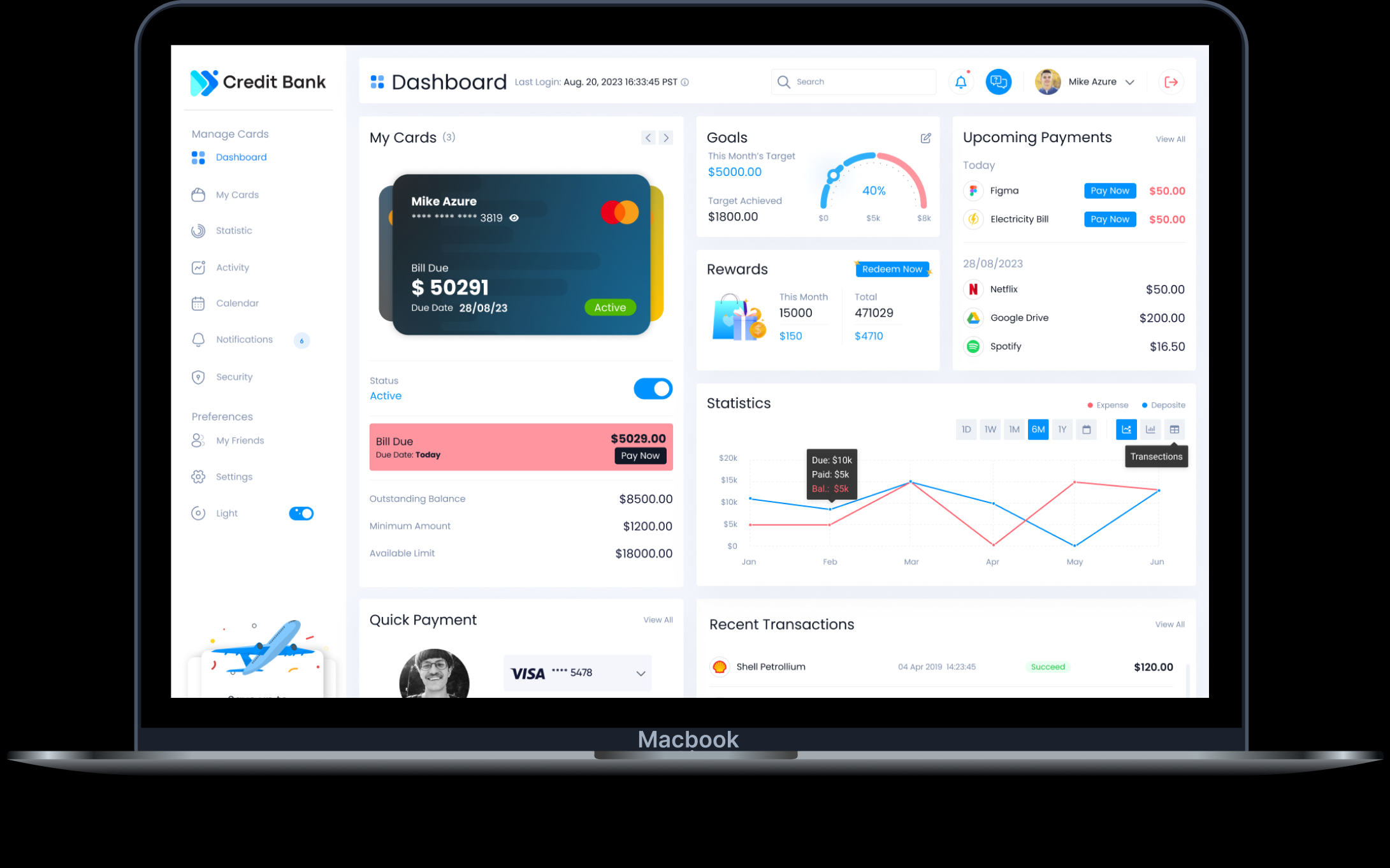
The most important feature of the dashboard. Users can view all details related to their card and credit bills — swap between cards, view multiple cards at once, activate/deactivate a card, and pay dues right away with the Pay Now button.
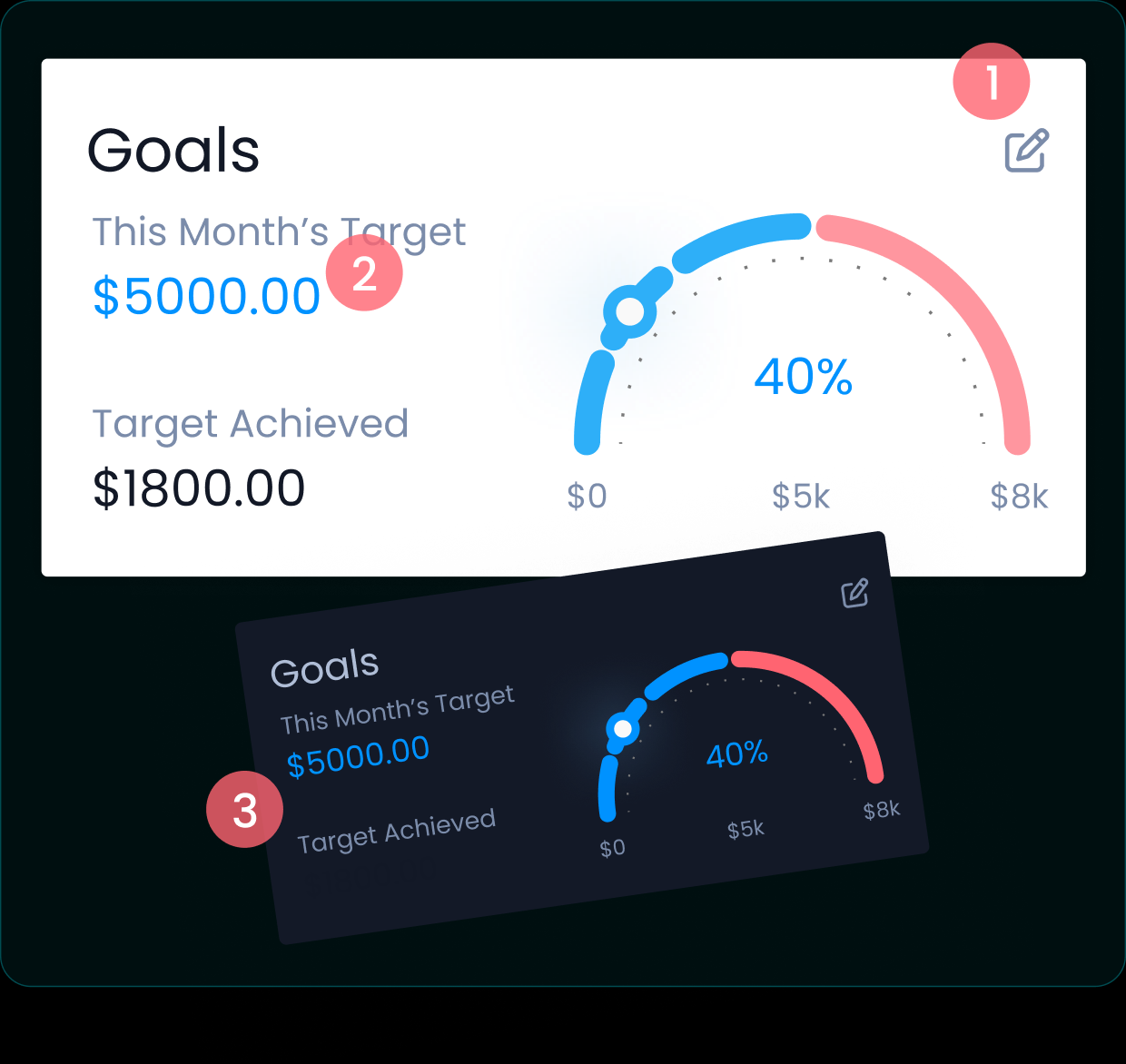
Set Goal
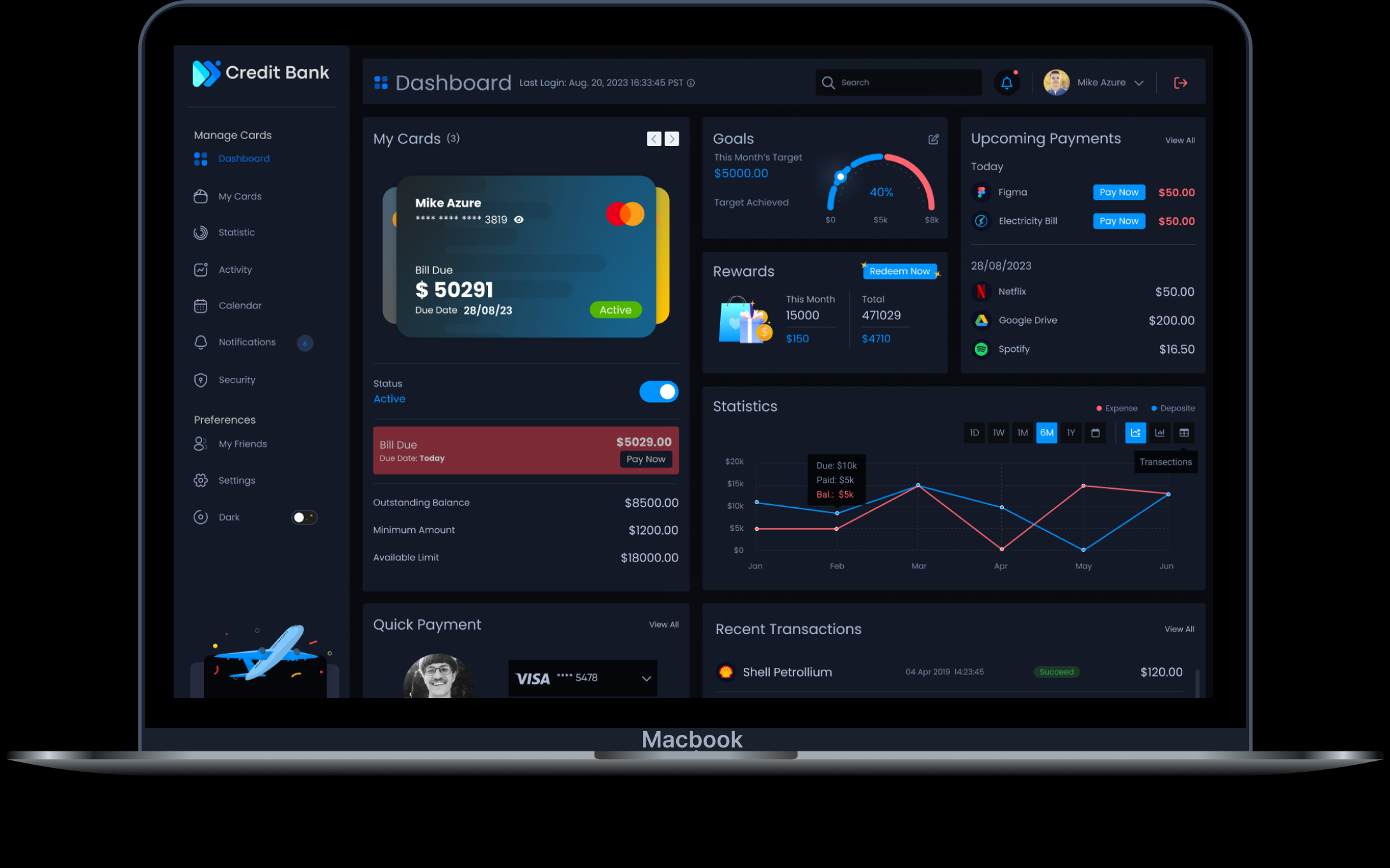
A feature that really impacts your savings. By setting your expense goal you can view highlights and stats of the target amount you set, edit the goal, view the target, and use dark mode.
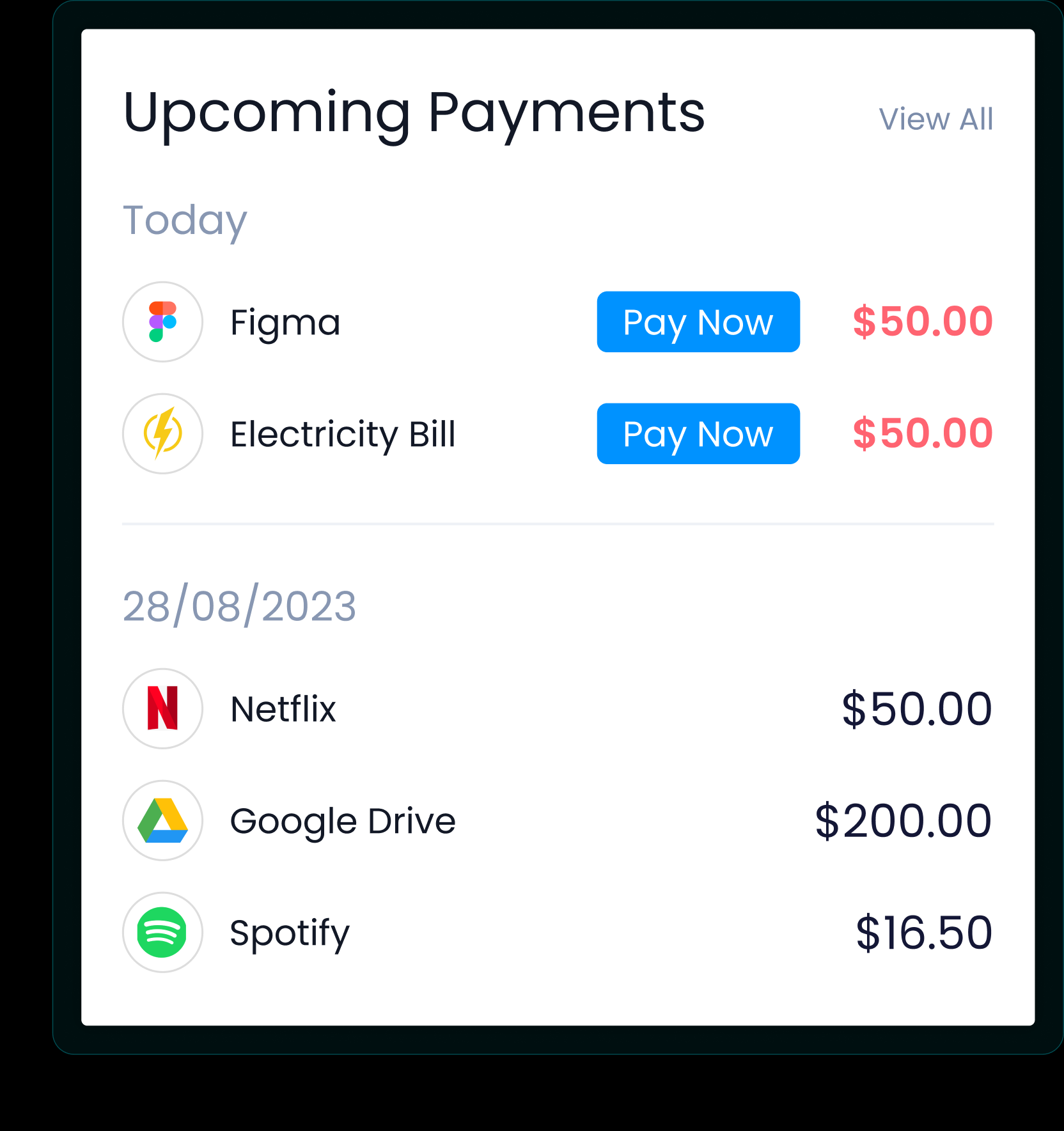
Upcoming Payments
Upcoming payments display here, filtered by the most imminent payment, with the Pay Now option.
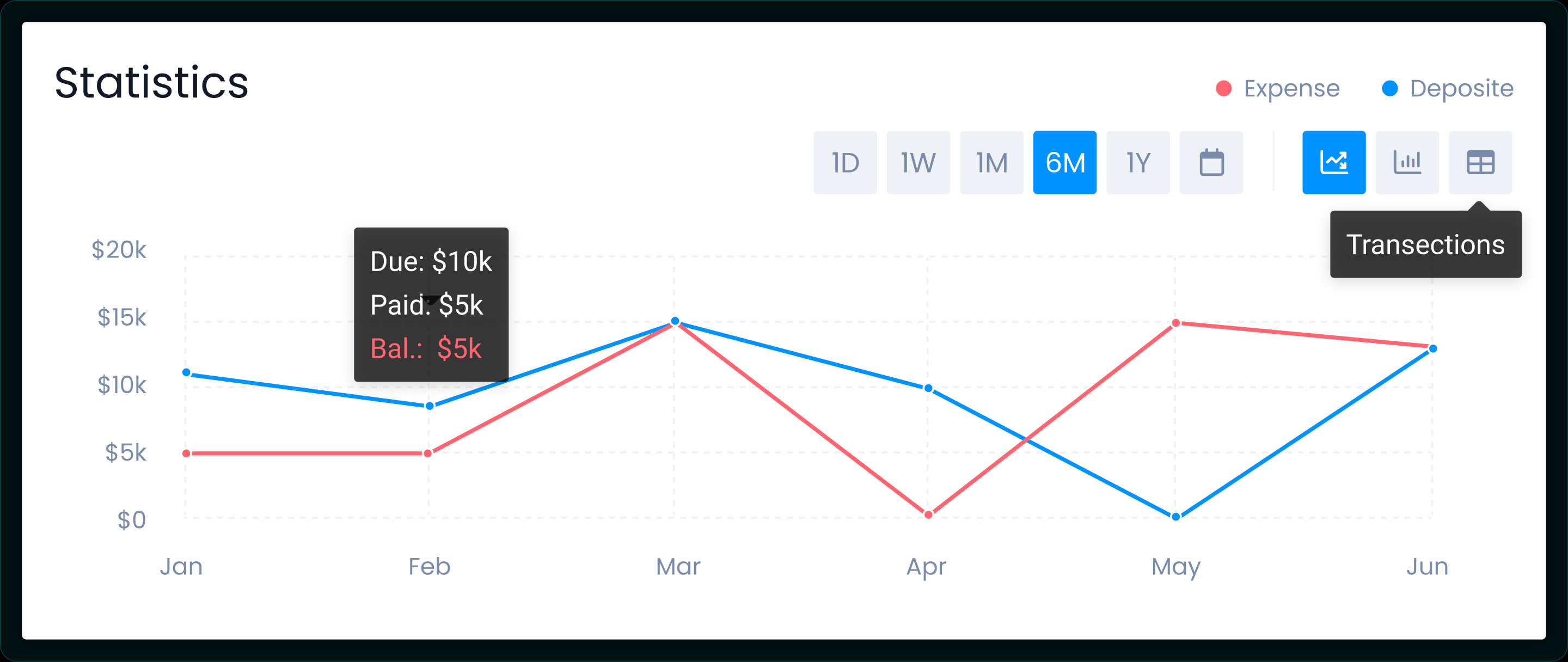
Statistics
Statistics show the graph of your expense amount vs. the payment deposited against your card, with multiple filters — view recent transactions directly, or choose a specific date or date range.
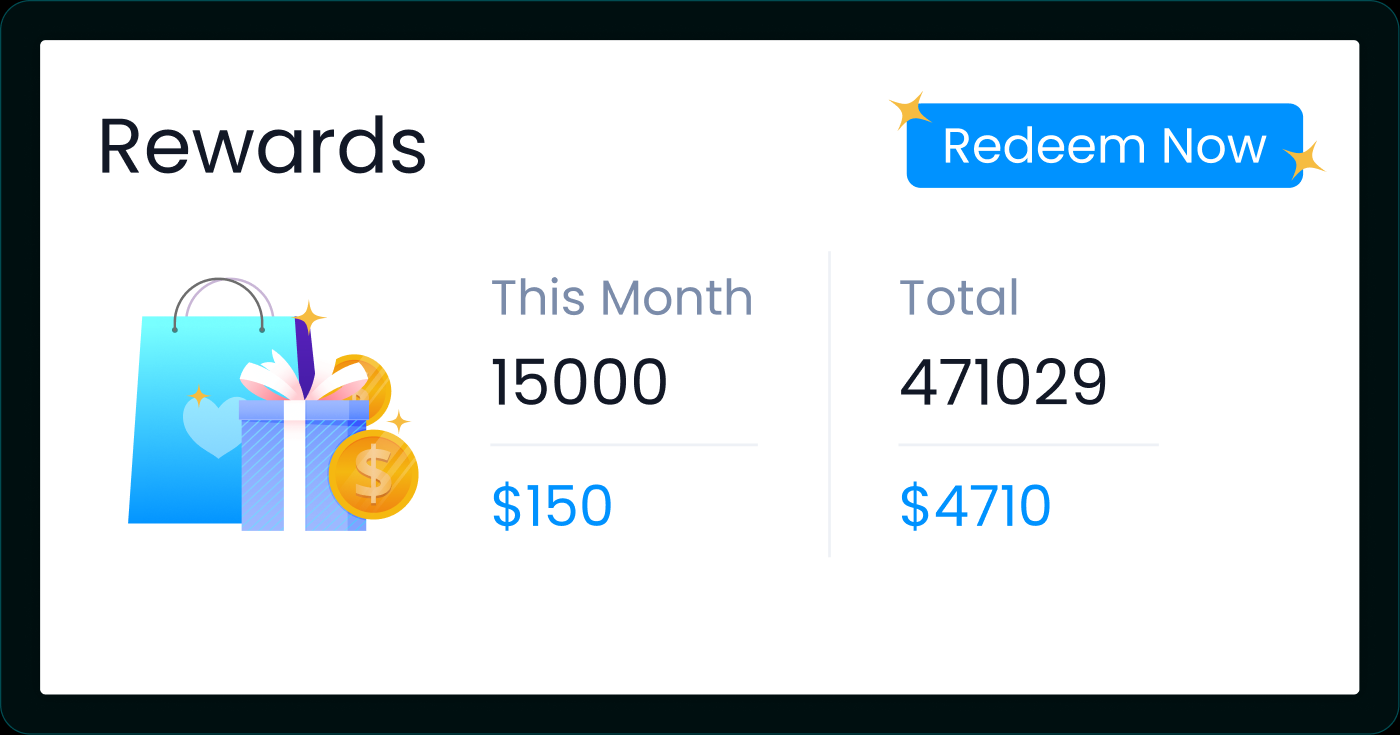
Rewards
Reward calculation shows the reward points and cash value earned this month, plus total reward points and cash value to date. Users can directly redeem rewards by clicking Redeem Now.
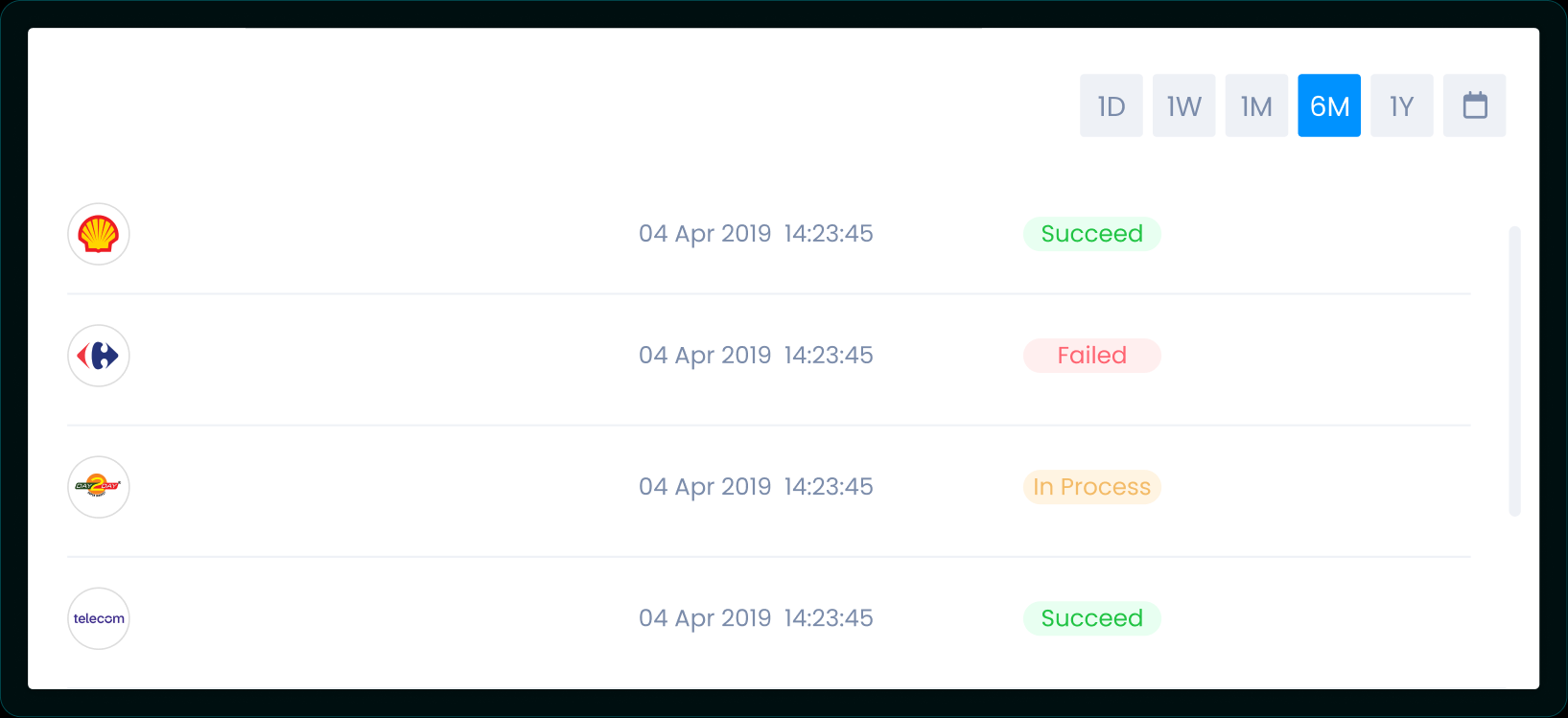
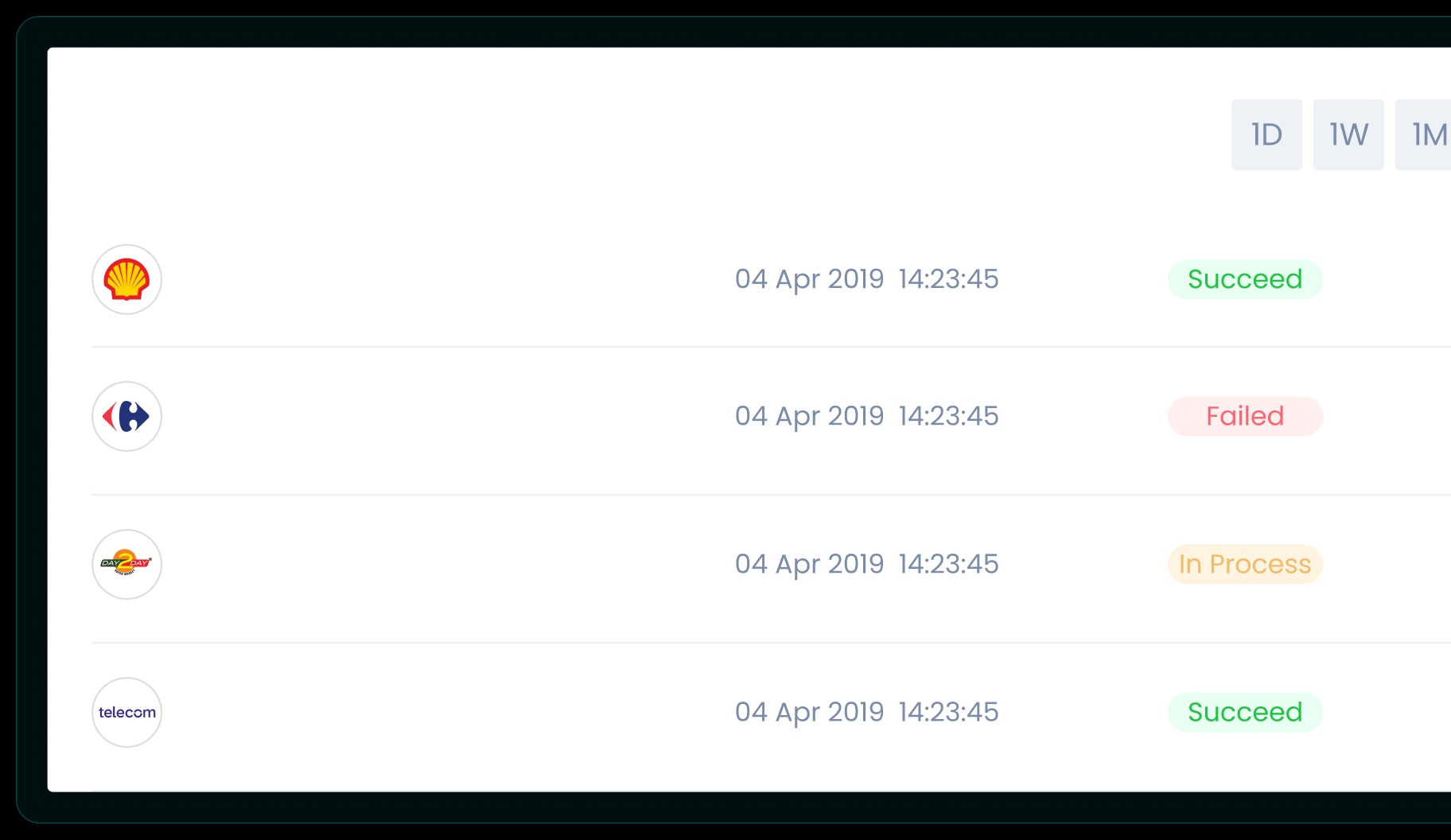
Recent Transactions
View of recent transactions with status of success, pending, and failed transactions.
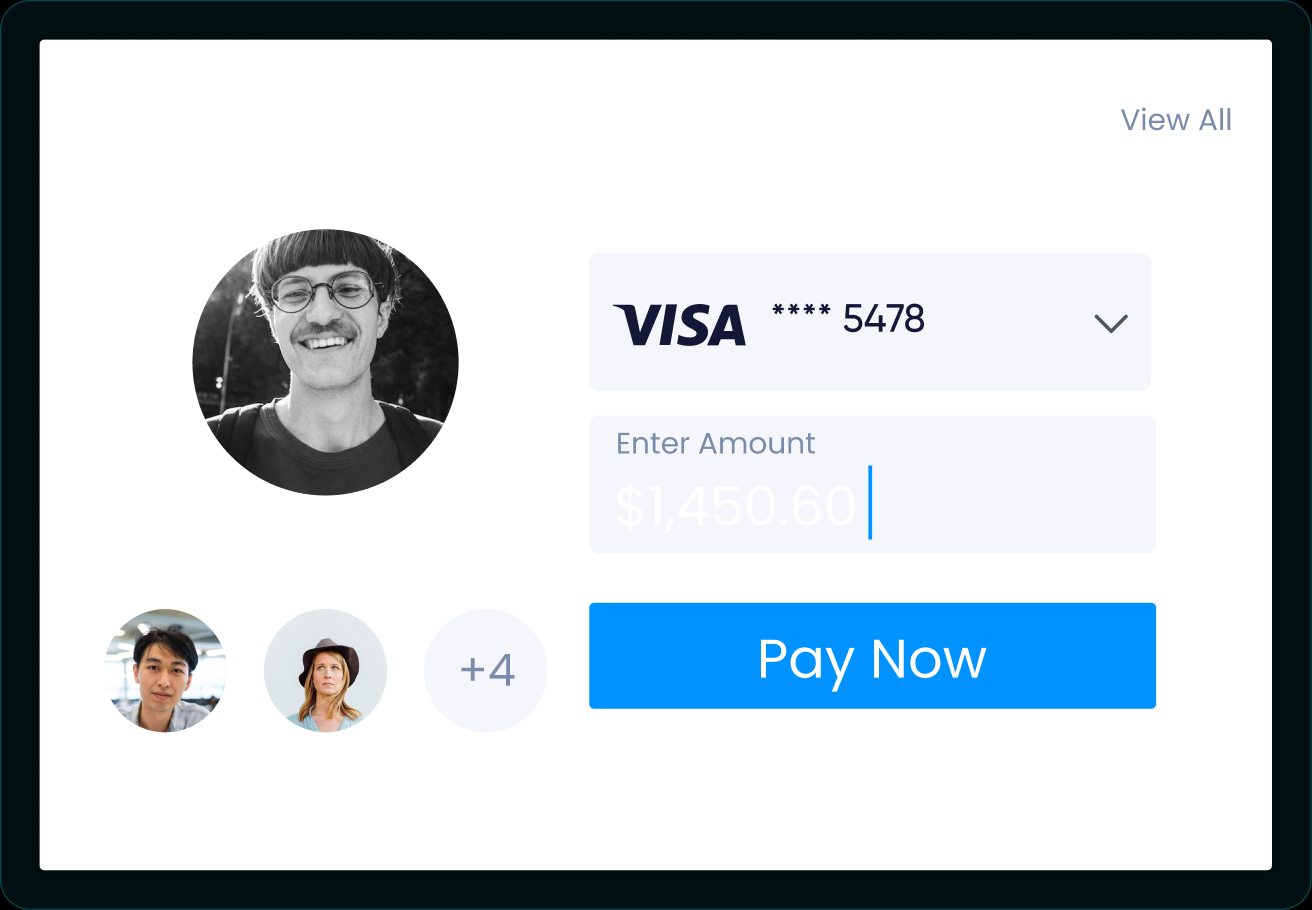
Quick Payment
Directly send a payment to a payee already added, by choosing the desired card and amount.
A Closer Look
The Recent Transactions view lets users filter by 1 day, 1 week, 1 month, 6 months, 1 year, or a custom date range, with the status of every success, pending, and failed transaction visible at a glance.
The Output
The Proven Results
My goal was to remove the paradox of security making it harder for fraudsters but easier for the user. By designing a 'Global Freeze' button that is always accessible but never accidental, we increased user confidence and platform loyalty.
*The metrics in my case studies are estimated based on product results and team feedback.
More Success Cases
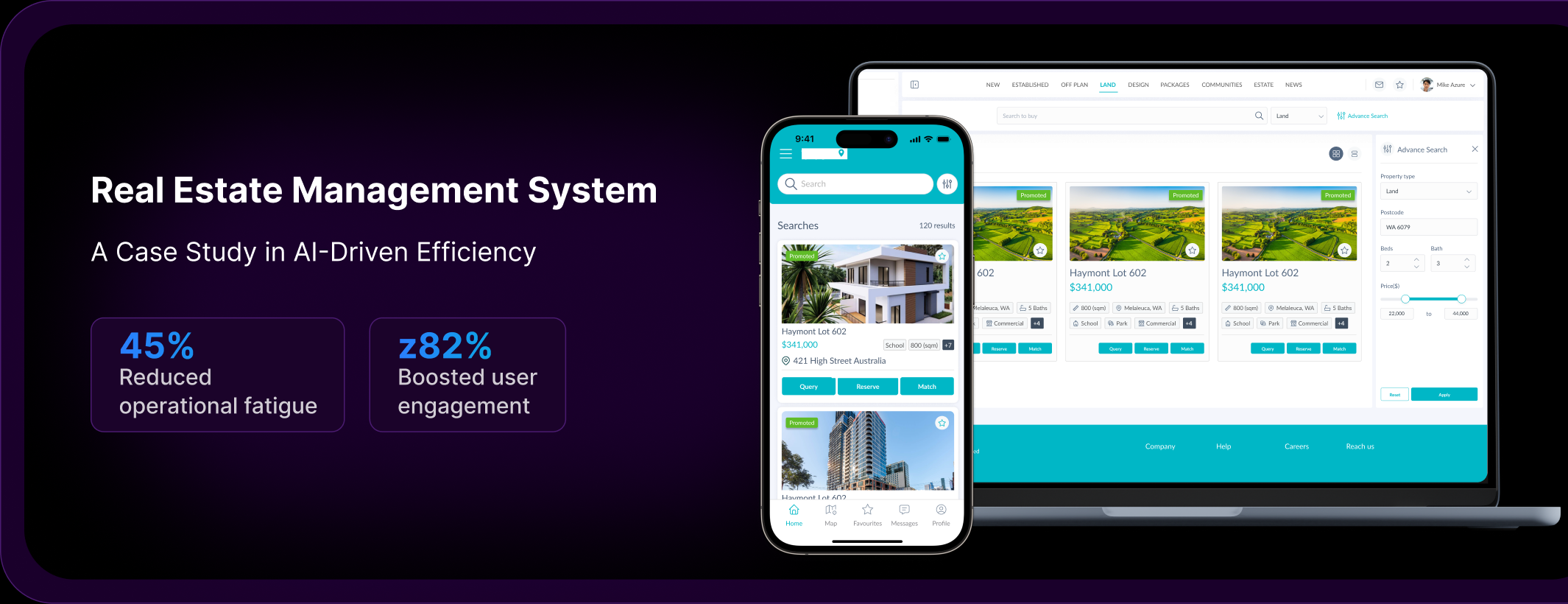
Real Estate Management System

E-Commerce Transformation
Let's Build Something Strategic!
Let's collaborate to bring your vision to life with stunning design and seamless user experience.